Visual Experience
See Structured AI in Action
Turn 20-page articles, dense documentation, research papers, and meeting notes into instant, structured, actionable summaries directly in your browser.
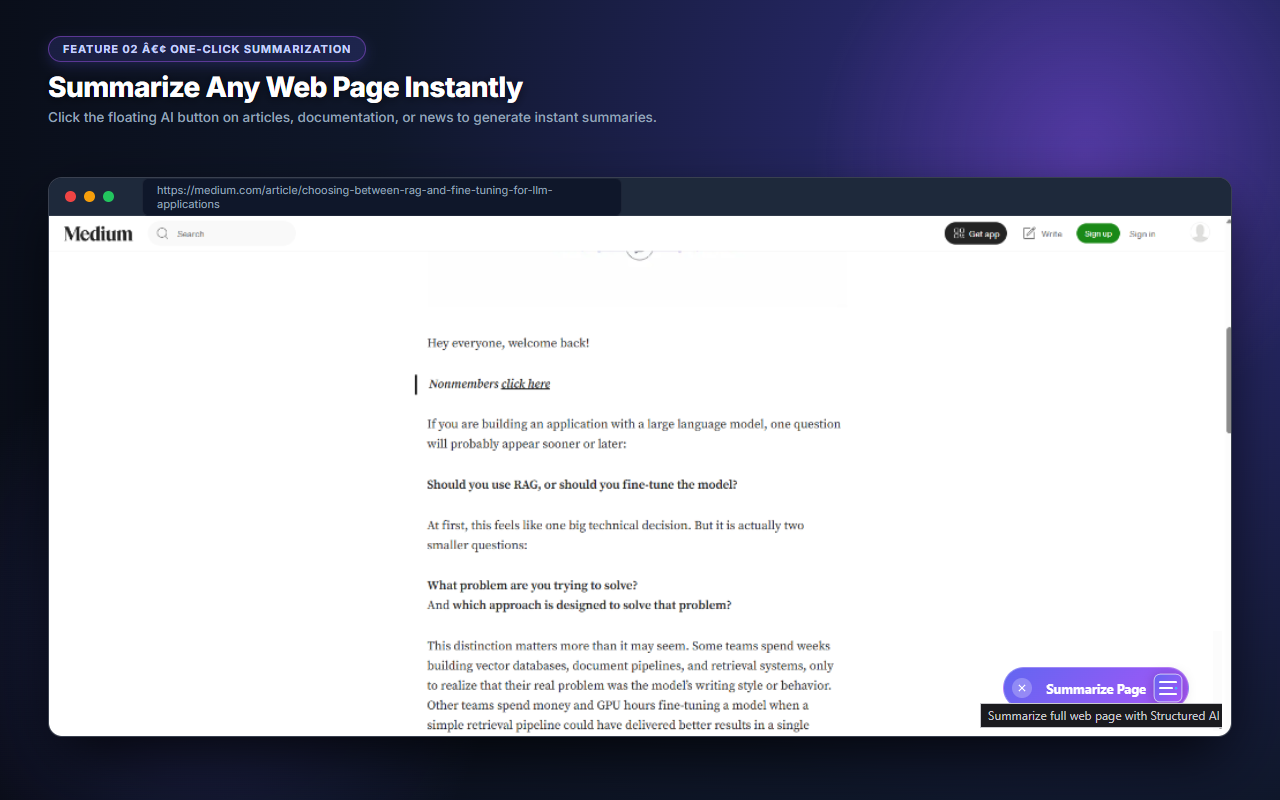
A sleek, non-intrusive floating button appears at the bottom-right corner of web pages. Click anytime to extract instant insights without leaving your tab.
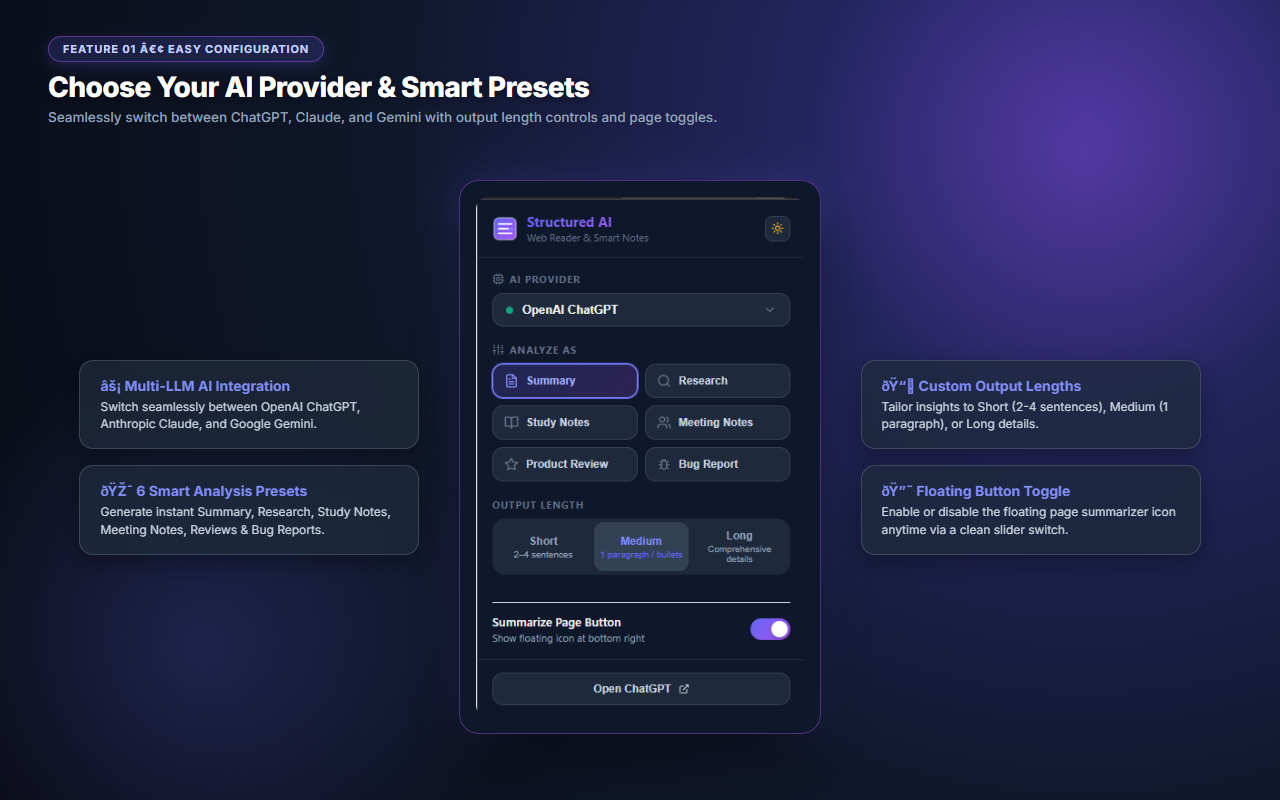
Connect seamlessly to your active OpenAI ChatGPT, Anthropic Claude, or Google Gemini web accounts. Switch models effortlessly anytime.
Tailor your outputs with preset modes: Executive Summary, In-Depth Research, Study Notes, Meeting Action Items, Product Reviews, or Bug Reports.
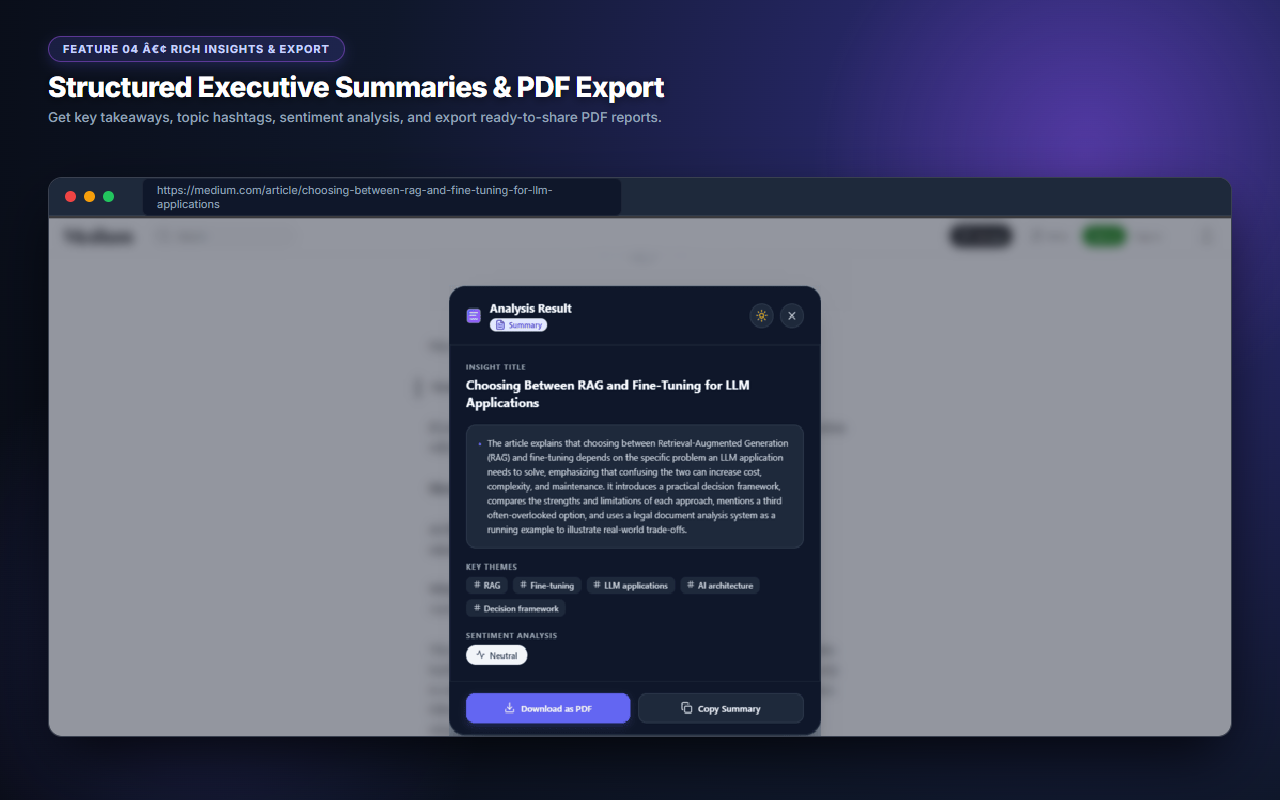
Export your generated summaries as crisp, beautifully styled PDF reports for work, school, or team distribution with a single click.
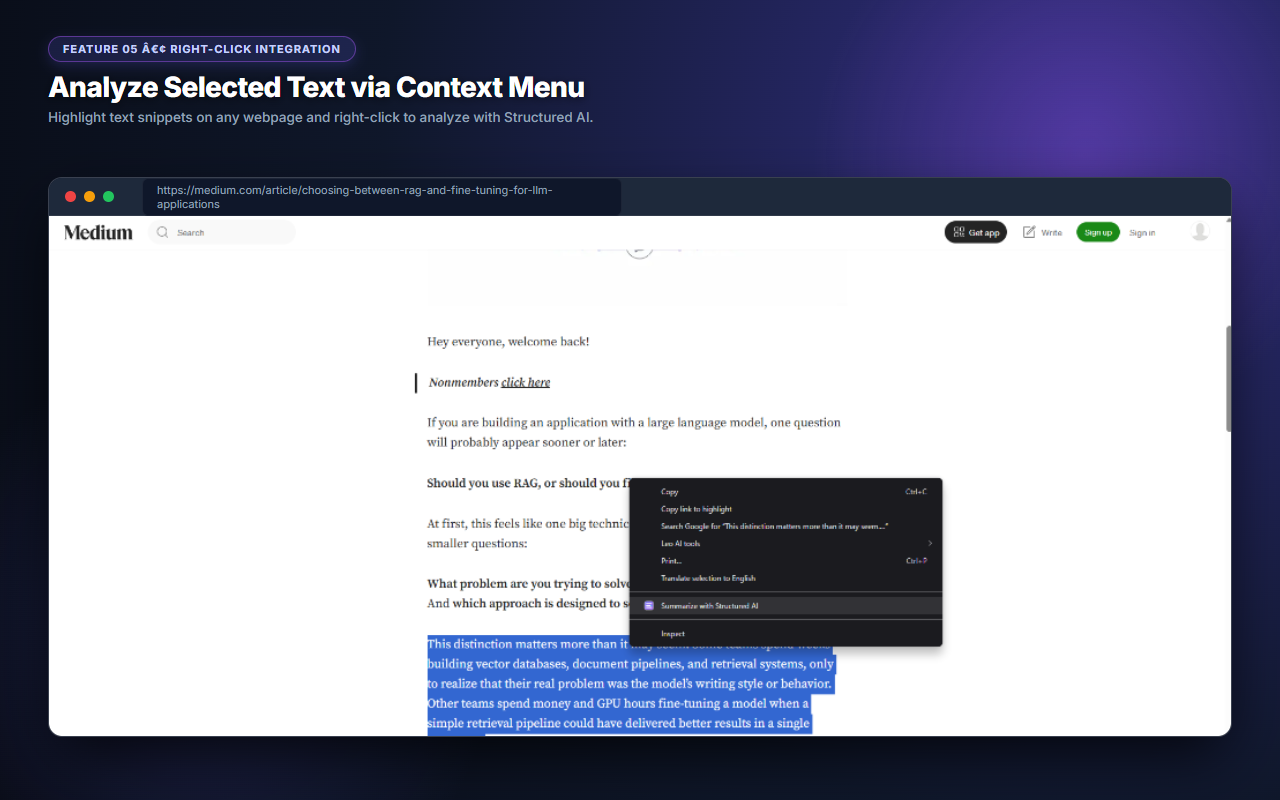
Highlight any text snippet on any website, right-click, and select "Summarize with Structured AI" to analyze specific paragraphs on the fly.
Operates locally within your browser. No tracking, no telemetry, no data selling, and zero server logging of your private reading content.
No! Structured AI is 100% free and does not require any API keys, paid developer accounts, or credit cards. It works directly using your standard ChatGPT, Claude, or Gemini web accounts.
Never. All content processing happens locally inside your browser session. We do not operate tracking servers or store your private reading content.
Yes! You can toggle the floating button on or off anytime using the clean slider switch inside the extension popup window.